 GraceSheetKids
Using ChatGPT for Bible Worksheets? A Teacher's Checklist
If a Bible worksheet takes several rounds of prompting to fit your lesson, write down the teaching decisions before you revise it again: the exact passage, the children's reading needs, the activity and the print format. These decisions give you something concrete to check, whether you use a general-purpose chat tool or a dedicated worksheet maker.
You may recognize the cycle: ask for a page, request a different layout, simplify the wording, then discover that the activity instructions need another pass. The lesson was chosen before you opened the chat. The worksheet has become another preparation task.
This illustration comes from our Instagram carousel. The situations in this guide are hypothetical preparation examples, not customer testimonials or a test showing that every ChatGPT or Gemini output behaves the same way.
1. Check the passage before the appearance
A polished page can still focus on a different event from the one you intend to teach. Keep your Bible open and check the reference, the people involved and the moment each question describes. Distinguish a quotation from a child-friendly summary.
Ask: Could I explain how this activity connects to these verses? If the answer depends on an event outside your chosen passage, expand your reading deliberately or choose a different activity. Do not keep a mismatch simply because the illustration looks attractive.
2. Separate reading demand from age labels
An instruction such as “make this suitable for children” leaves many decisions unstated. Will an adult read the directions? Does the child need to point, draw, copy a word or write a sentence? How much can the child comfortably do on this particular day?
A useful brief might say: “An adult will read the question aloud; children can point or draw their response.” That is more specific than asking for an easier worksheet. For a group with different reading levels, see our mixed-age Sunday school lesson.
3. Check the activity instructions separately
Read the directions as if you had not designed the page. Is it clear what to do first? Do the choices match the question? For a word puzzle, can you verify the answer? For a story activity, does the event order agree with the passage?
Changing the activity may require a fresh check of its instructions and answer key. Reusing the same attractive heading does not establish that the new task is ready for class.
4. Review the page you will actually print
Look at the print preview or exported PDF, not only the editor. Check text size, writing space, picture placement and page breaks. Confirm your paper size before printing several copies. Our before-print checklist gives you a reusable review sequence.
A guided alternative: choose the lesson settings
GraceSheetKids provides an interface for choosing a Bible passage, age group, activities and sheet style. Those choices have dedicated controls instead of needing to be described from scratch in a new conversation.
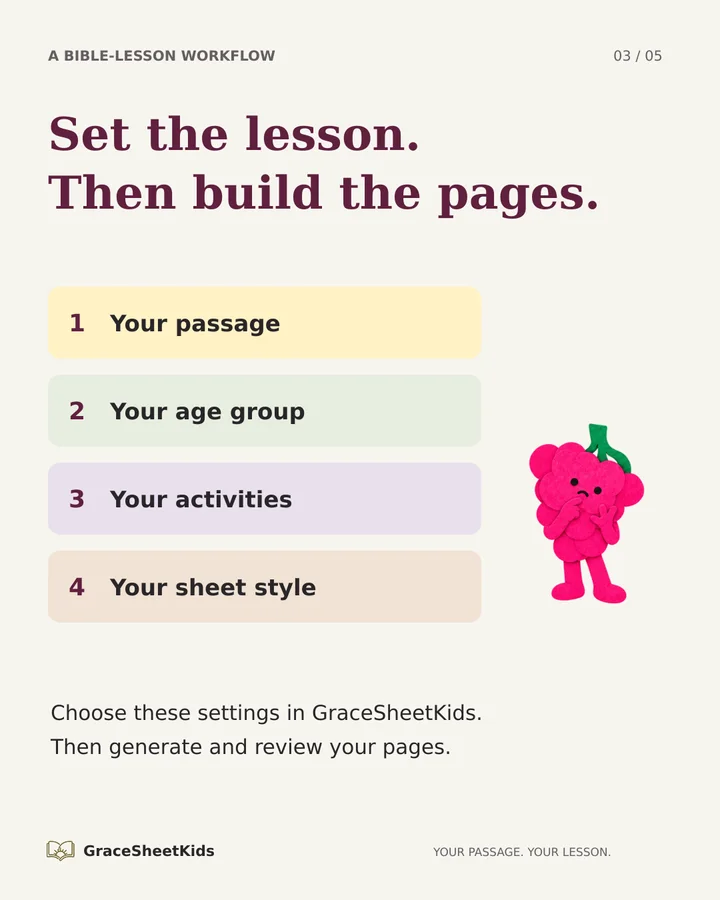
The image is an editorial checklist, not a screenshot. For the actual selection screen and a walkthrough, read how to create worksheets for your chosen passage.
This does not remove the teacher's judgment. Generated wording, pictures and answers still need review. Nor is this a promise that every output has an identical layout or that a particular number of editing minutes will disappear. The practical difference is where you make the choices: in a Bible-lesson workflow, with the passage as your starting point.
A brief you can keep beside any worksheet tool
- Passage: the reference and the part of the account your lesson will revisit.
- Readers: what children can read and what an adult will read aloud.
- Activity: one clear task that supports your teaching focus.
- Review: passage accuracy, instructions, answers and the final print view.
You can use this checklist with an existing printable, a page you make yourself or a generated page. If you want to inspect an existing output before making your own, browse the public worksheet examples.
Illustrations: AI-assisted fictional Mama Grape scenes. Blank papers and the laptop are illustration props, not customer work or product outputs. This article expands the GraceSheetKids carousel about repeated worksheet prompting.
Choose the passage you plan to teach, then select your lesson activities.
Start with your next Bible passage →